*Admin, Lead, and Organizer users can access this feature.
Tasks make it easy to assign, track, and manage the to-dos that will be crucial for any organizing campaign: talking to people at their homes, collecting information about what a person does, and figuring out which leaders and activists should be given more responsibility. Tasks are always campaign specific.
In addition to Creating & Editing Tasks from the Task Management page, you can also now create a new Task based on the results of a search from the Wall Chart.
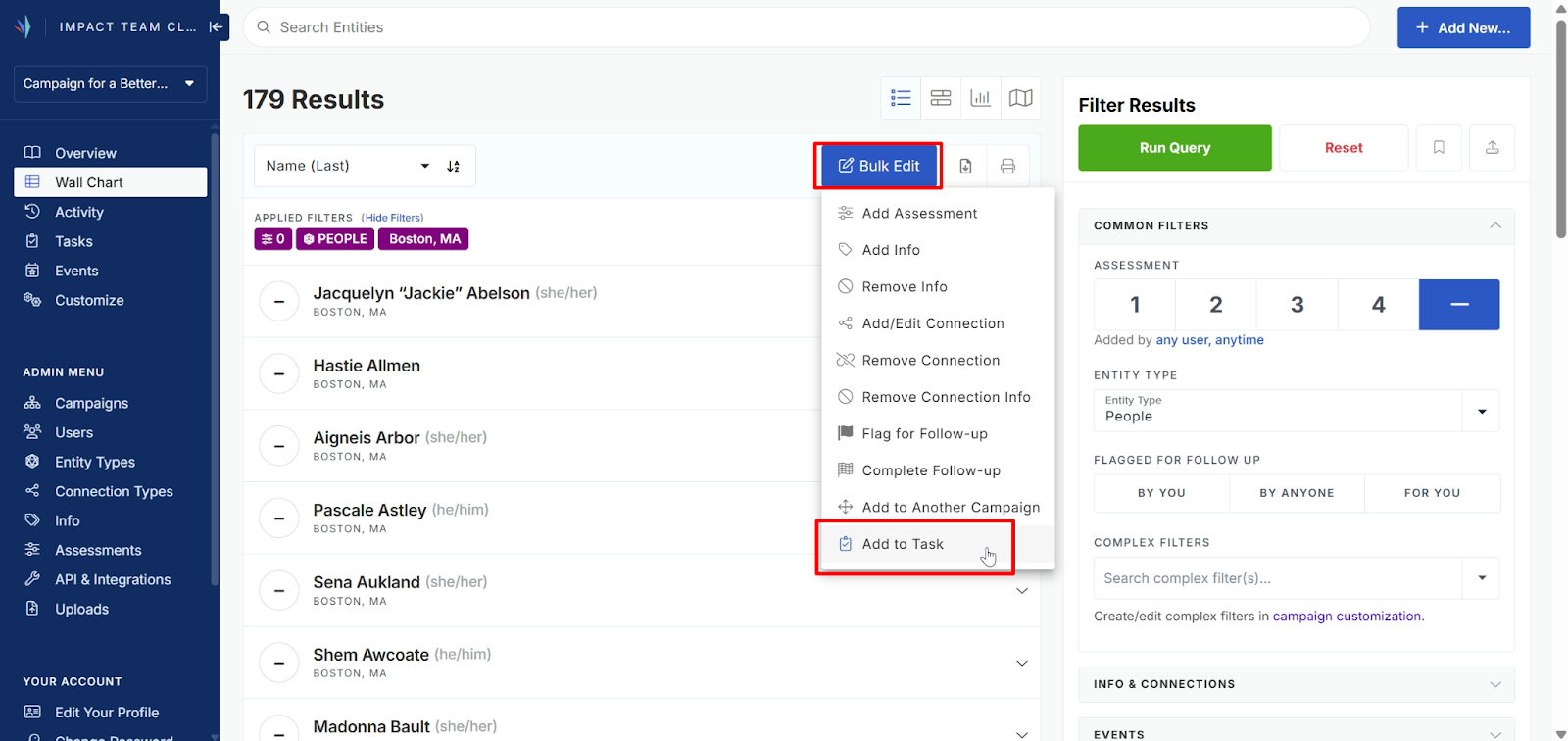
1. To build a Task from your Query results, click the Bulk Edit button and select Add to Task from the drop-down menu.
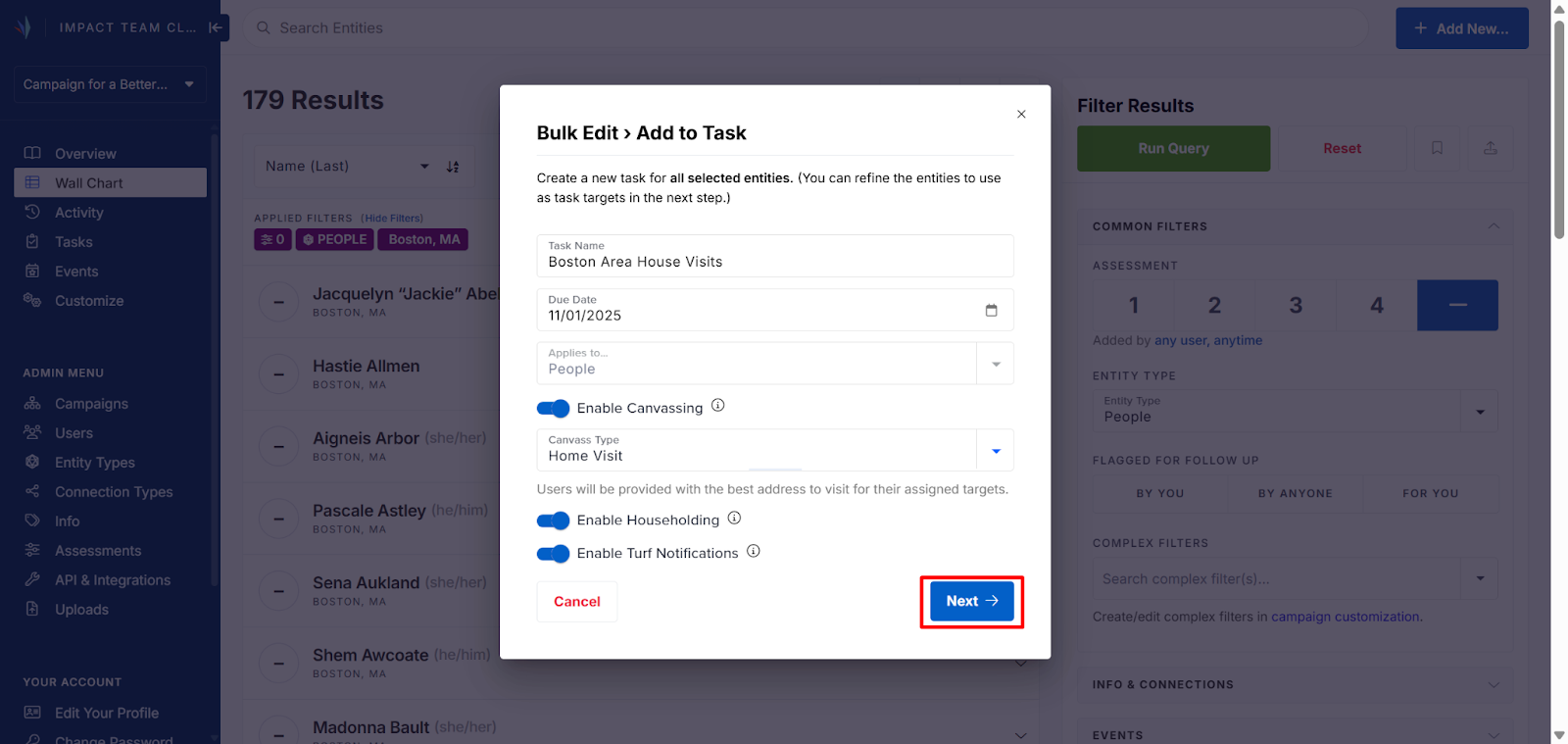
2. In the pop-up window, choose a name and due date for your Task, use the toggles to set your preferred settings, then click Next.
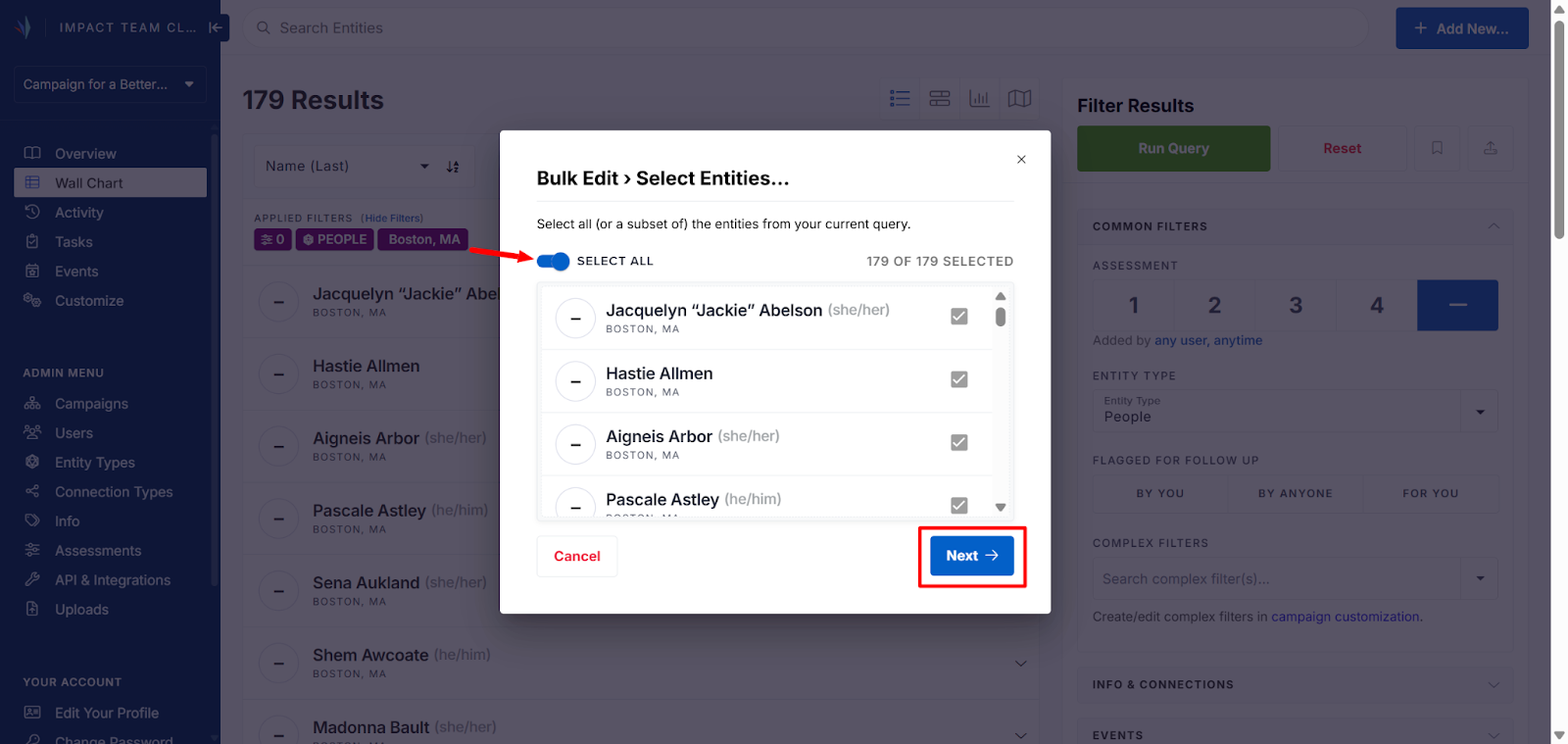
3. Toggle on the Select All option to choose all entities in your Query results, or check boxes next to each individual entity you want to include. Click Next to proceed.
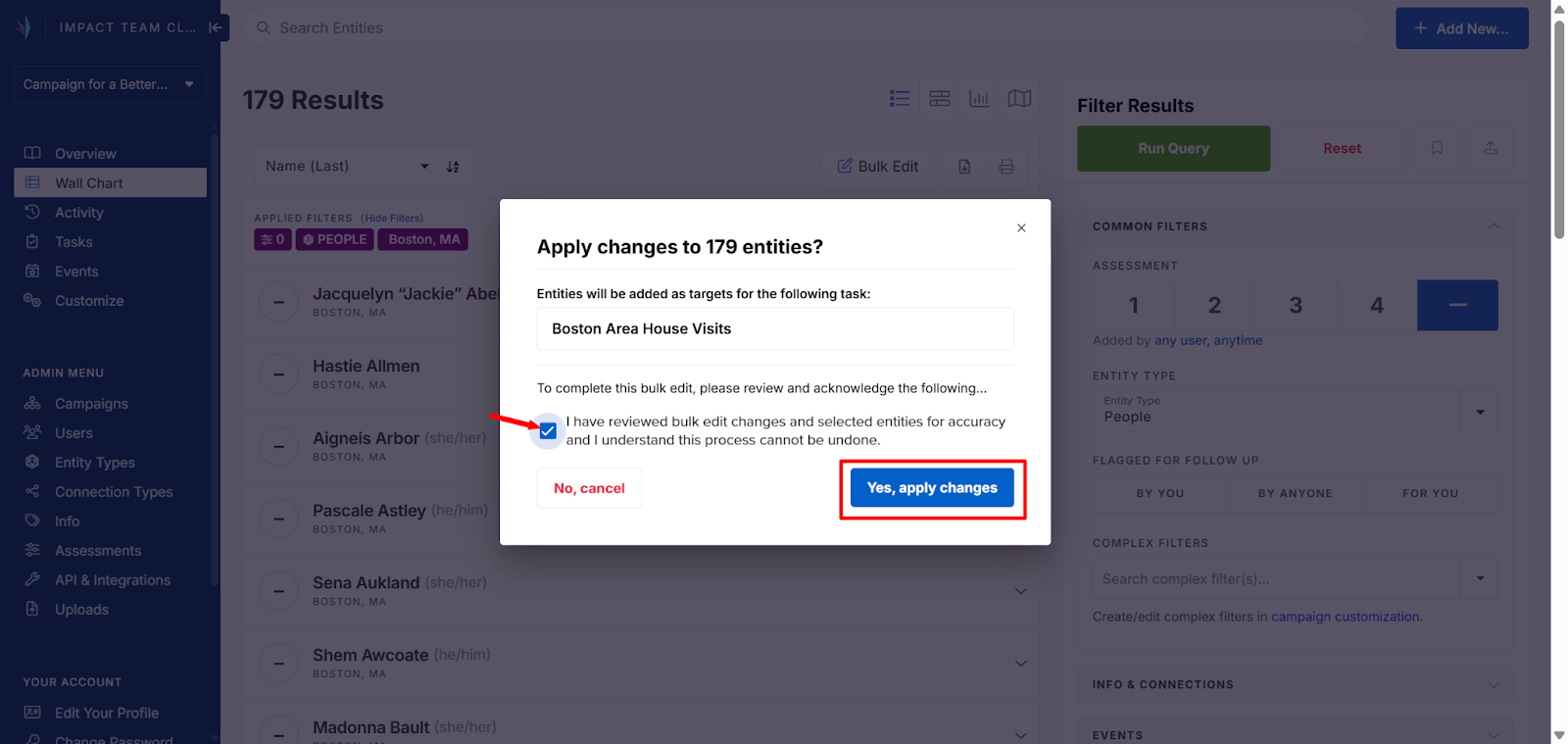
4. Check the box confirming you’ve reviewed the Bulk Edit options, then click Yes, apply changes to create the Task
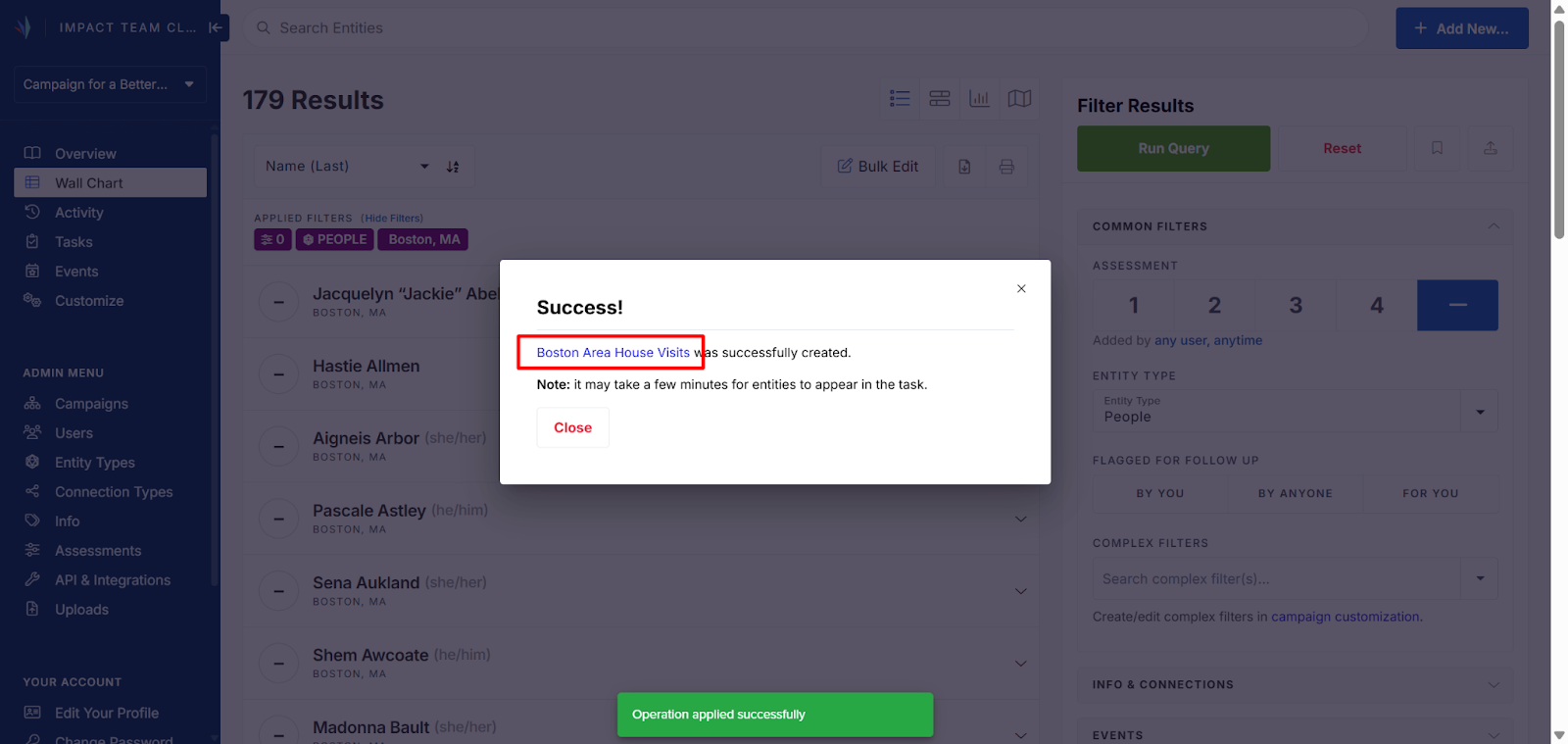
5. A pop-up confirmation at the bottom of the page will appear when the Task is created. Click the Task name in the Success! window to go to the Task
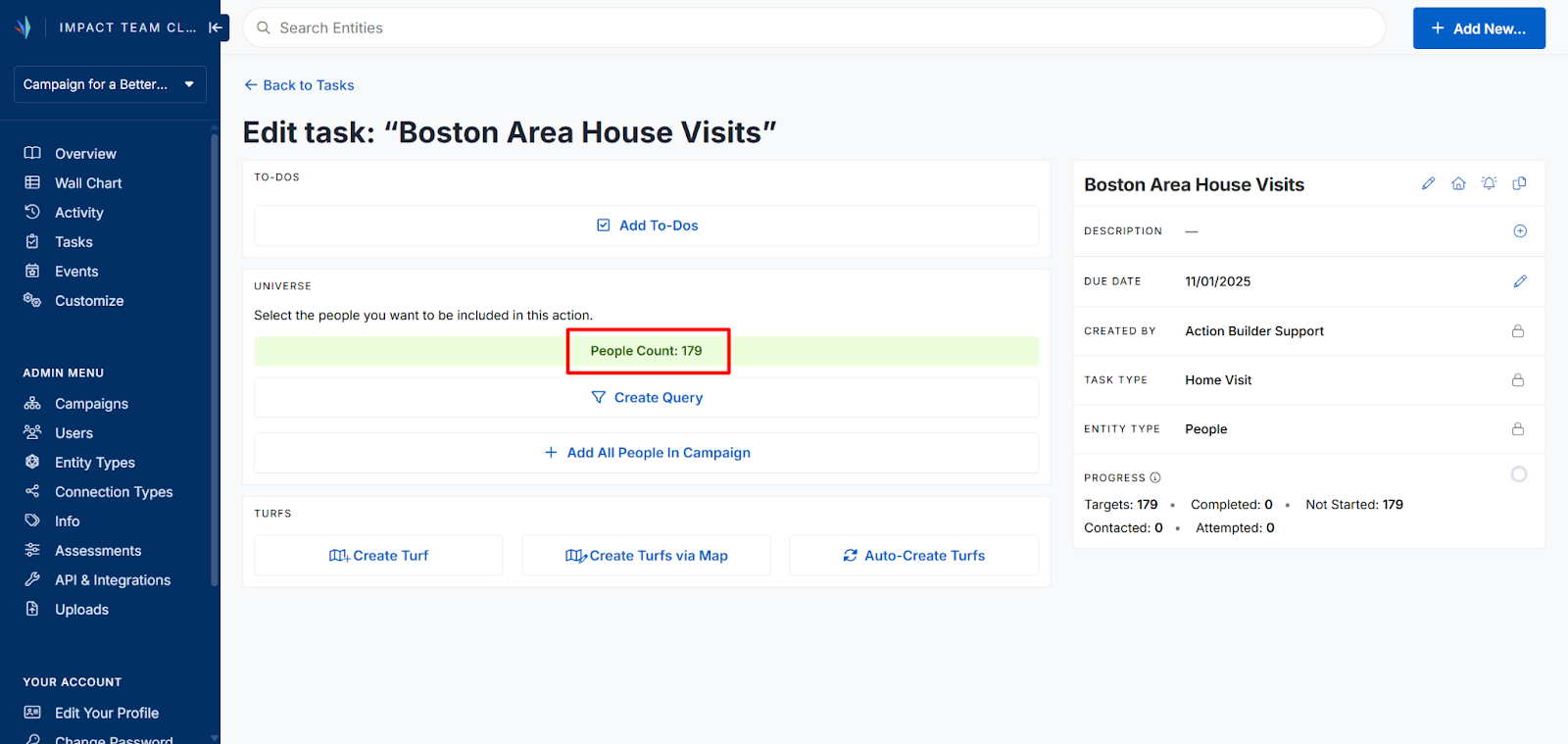
6. The Edit Task page should display the number of Entities from your Query in the Universe section
7. Proceed with adding To-Dos, editing the description, and cutting Turfs as with the standard Task creation. Learn more here: Creating and Editing Tasks

Comments
0 comments
Article is closed for comments.